Pinned exactly where it is
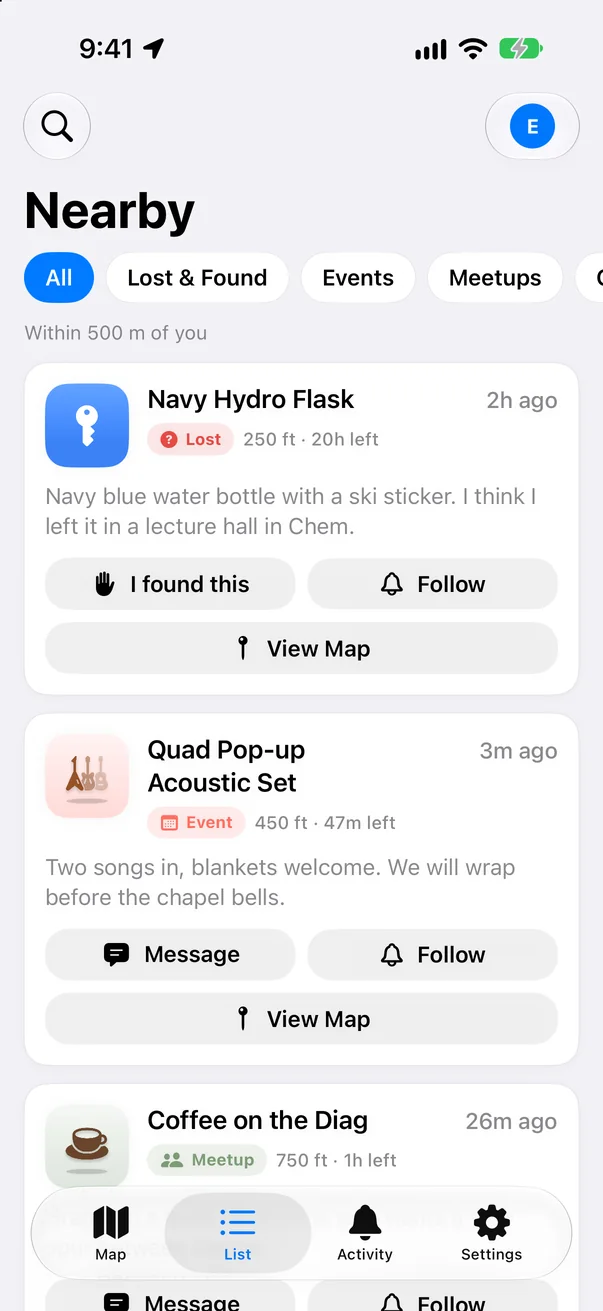
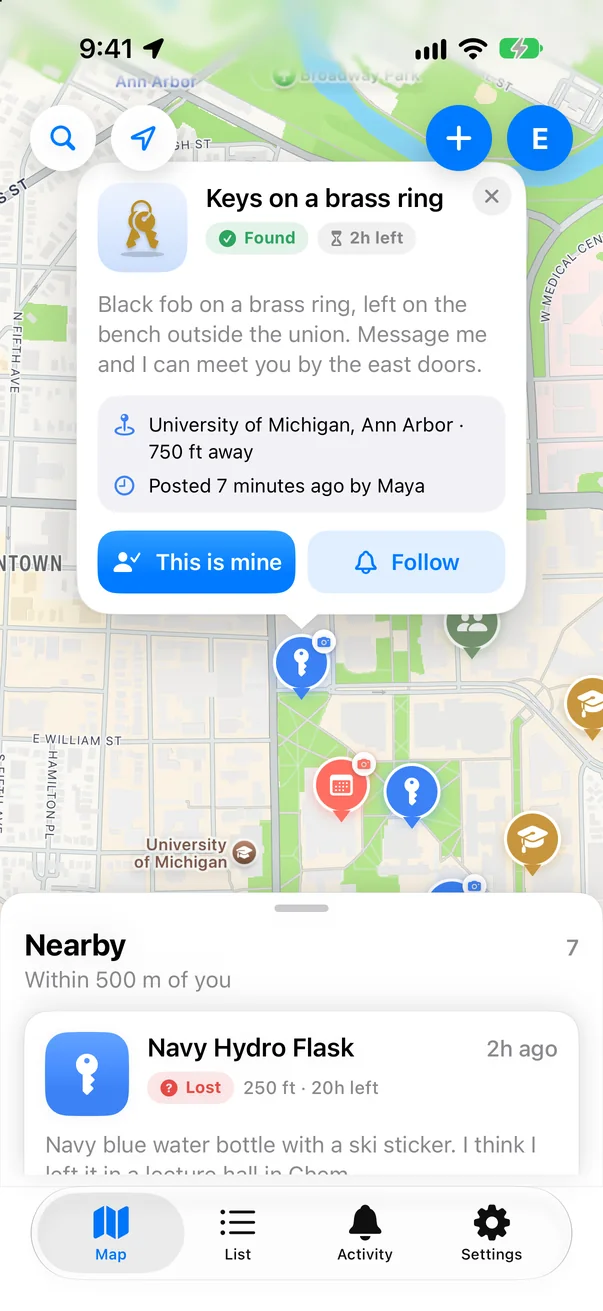
Drop a pin with a photo at the precise spot you found something, or where you last had it. Lost and Found items get their own badges, so nobody mixes them up.
For campuses and neighborhoods
LostLink puts lost items, found items, pop-up events, and study groups on one map around you, and connects the people who can get things back where they belong.
Why LostLink
Drop a pin with a photo at the precise spot you found something, or where you last had it. Lost and Found items get their own badges, so nobody mixes them up.
When someone finds an item near where you lost yours, and it sounds like the same thing, LostLink lets you know. The comparison happens on your phone.
Tap “This is mine” or “I found this” to start a conversation only the two of you can read. Not us, not Apple.
Owners prove it’s theirs by describing a detail only they would know. Once it’s returned, mark it Returned and the pin leaves the map.
Pop-up events, meetups, and study groups share the same map, so you can see what’s happening around you right now.
Nicknames instead of real names, report and block on every pin and chat, and a team that reviews reports within 24 hours.
How it works
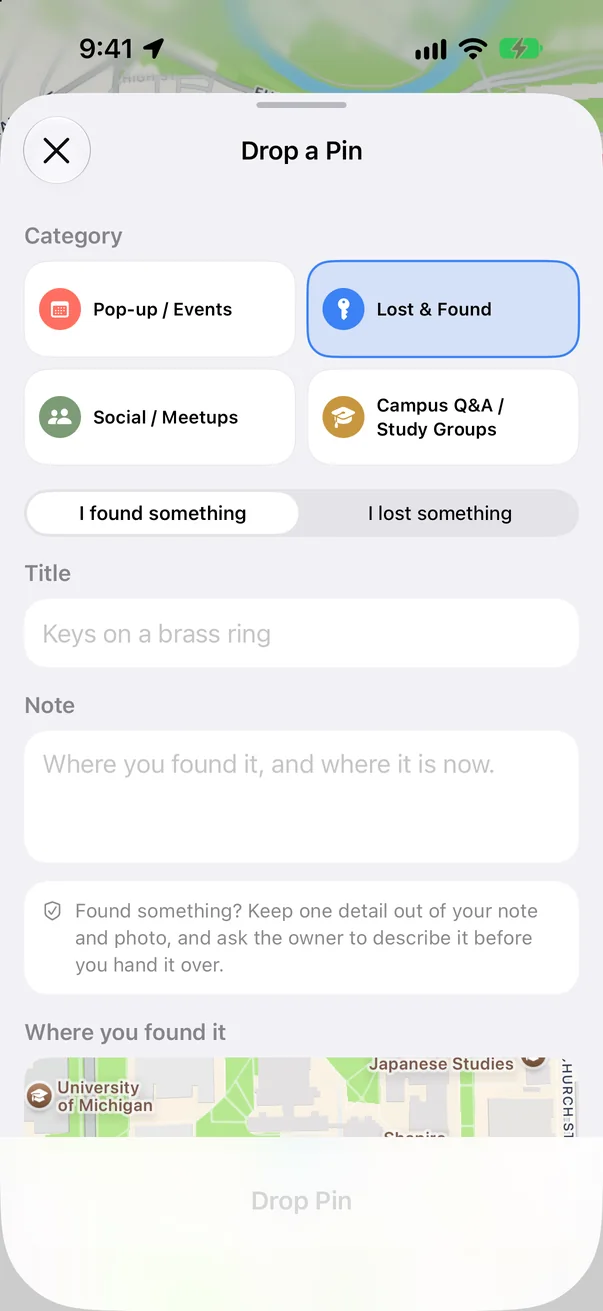
Found something, or lost it? Add a note, a photo, and the exact spot. It takes seconds.
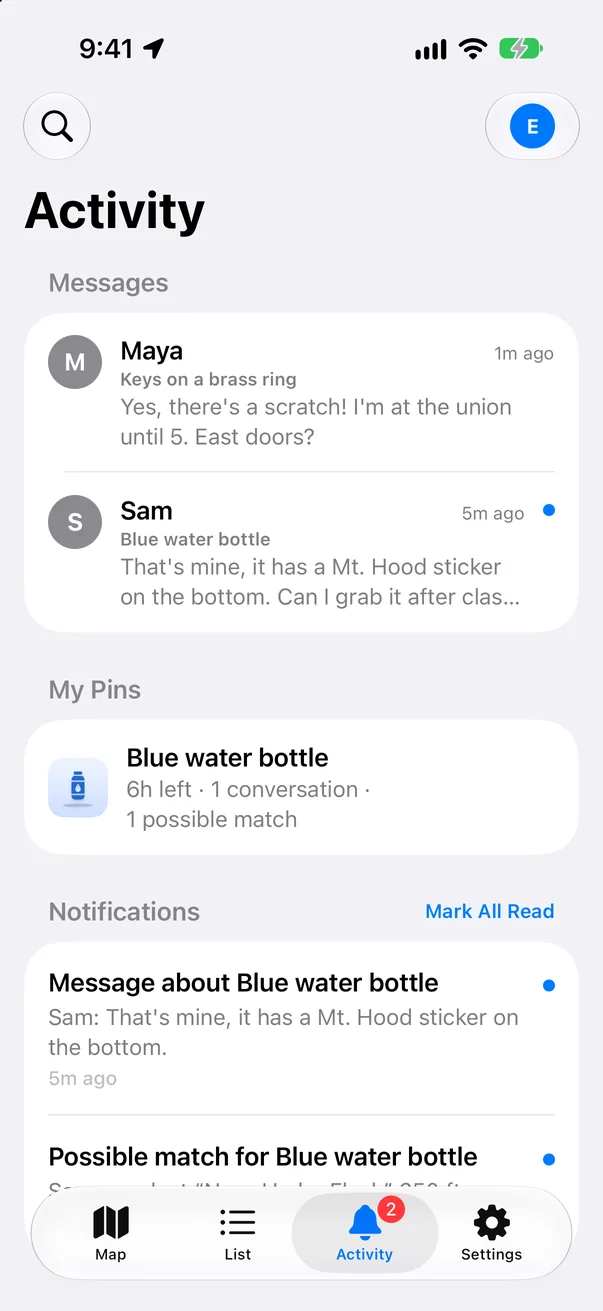
LostLink spots possible matches nearby and lets you know, along with replies to your pins.
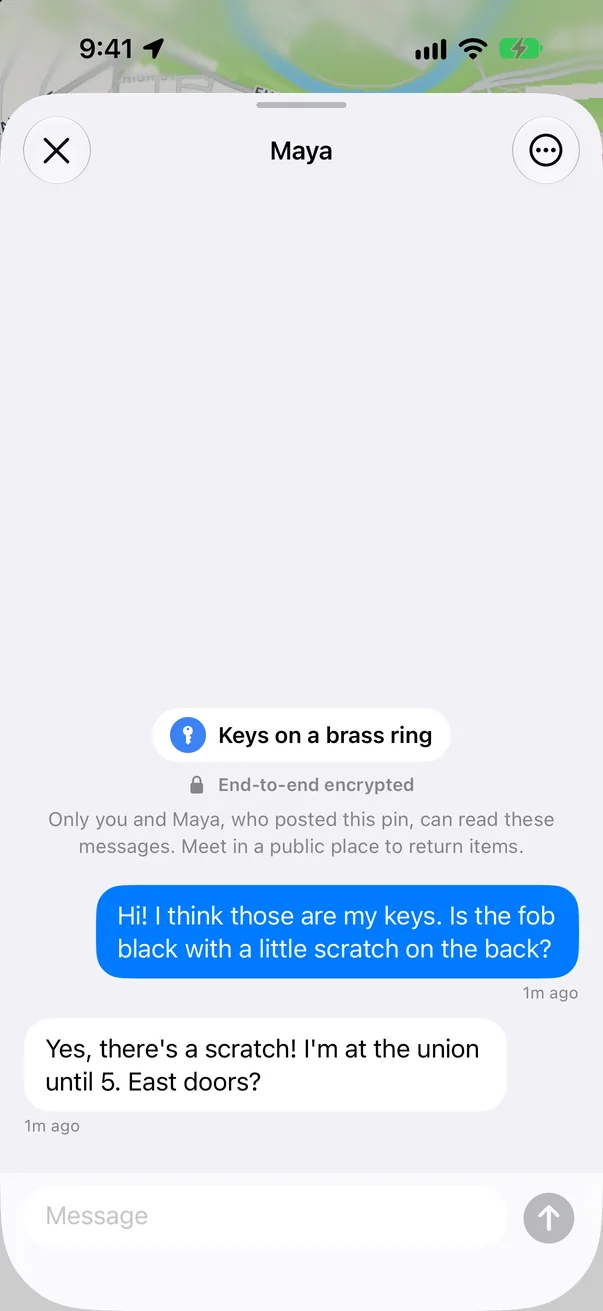
Chat privately, check a detail only the owner knows, and meet somewhere public.
Privacy first
LostLink was built to share as little as possible.
Read the privacy policyPricing
Everything you need to find and return things.
An optional monthly subscription. The price is shown in the app.
Yes. Dropping pins, searching, and messaging about Lost & Found pins are free. LostLink Plus is an optional subscription for following pins and messaging about events and meetups.
No sign-up and no password. LostLink uses your iCloud account behind the scenes to share pins, and you choose a nickname. We never see your Apple Account email or name.
Only you and the other person. Messages are end-to-end encrypted on your phone before they’re sent.
Ask them to describe something only the owner would know, like a mark, a sticker, or what’s inside. LostLink suggests this when someone claims an item. Meet somewhere public to hand it over.
Anywhere people are nearby. It’s built with campuses in mind, and shows pins within 30 km of you.
In the app, open Settings and tap Delete My Data. It removes your pins, messages, and encryption key from iCloud and erases the app’s data on your phone.

LostLink is in beta on iPhone. Want in? Send us a note and we’ll add you to TestFlight.
Join the beta